¶ Dynamic DNS Configuration
To keep your phone system as secure as possible, we utilize tight firewalls to only allow incoming connections from specific people. The way we accomplish this is by using something called dynamic DNS, which will keep your IP Address up-to-date in our firewall regardless of where you are in the world. We use a service called NoIP and their DUC (Dynamic Updater Client) lives on your computer and periodically checks for any IP Address changes. This guide will help you configure this on your end.
¶ Downloading and Installing
You can download the DUC for Windows and for Mac
Just following the normal installation instructions
¶ Setup
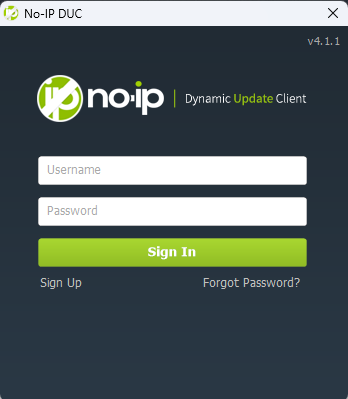
You will be greeted with a login page that looks like this. Check your email for the credentials.
Once you log in, you should then see a page that looks like this:
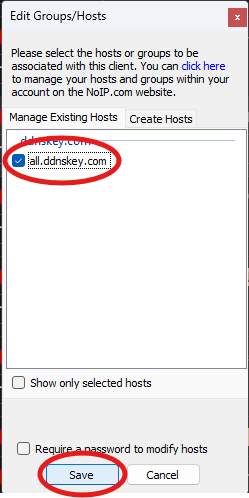
Be sure to select all.ddnskey.com and then click save.
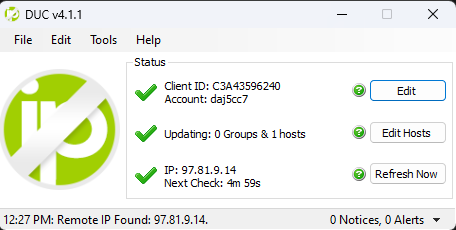
If everything worked properly, you should now see 3 greencheckmarks. Give it a minute and then try accessing FOP2 or another service from your computer.